
Viewing Goals of Indirect Reports
Learn how to View Performance Goals of Indirect Reports in Cornerstone.
How to Access the Cornerstone System
Accessing Cornerstone:
- Open internet browser and go to: https://go.illinois.edu/cornerstone
- Log in to Cornerstone using your net ID and password
How to View Goals of Indirect Reports
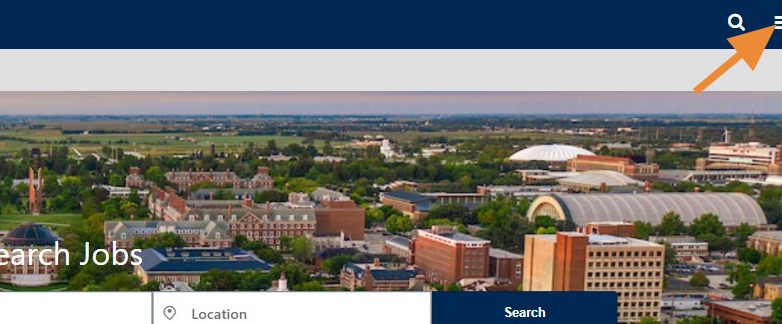
From the main homepage in Cornerstone, click on the 3 lines in the top-right hand corner to open the Navigation Menu.
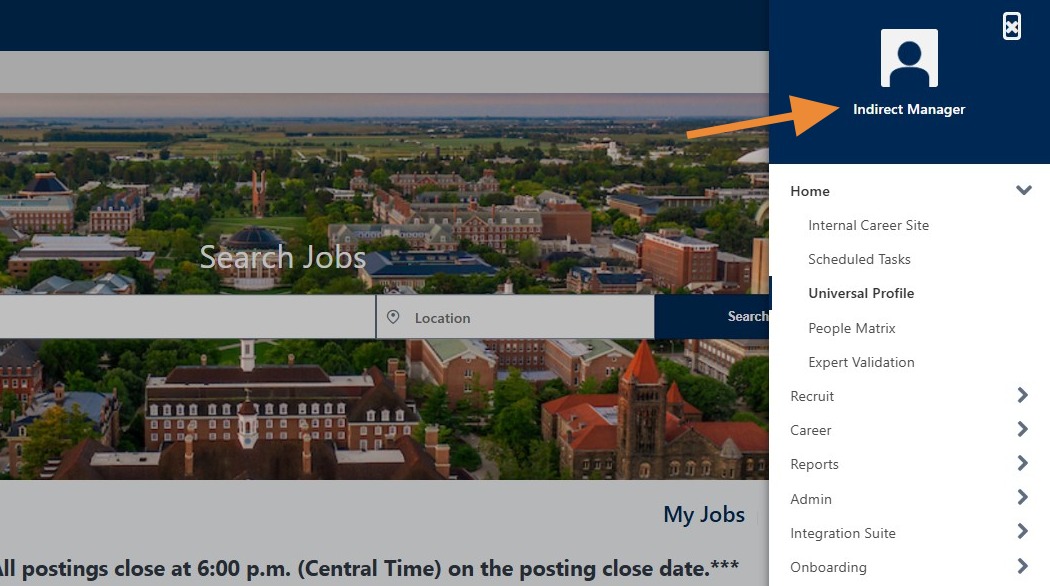
From the Navigation Menu, click on your name in the dark blue box at the top.
- For this job aid, the example employee name is "Indirect Manager".
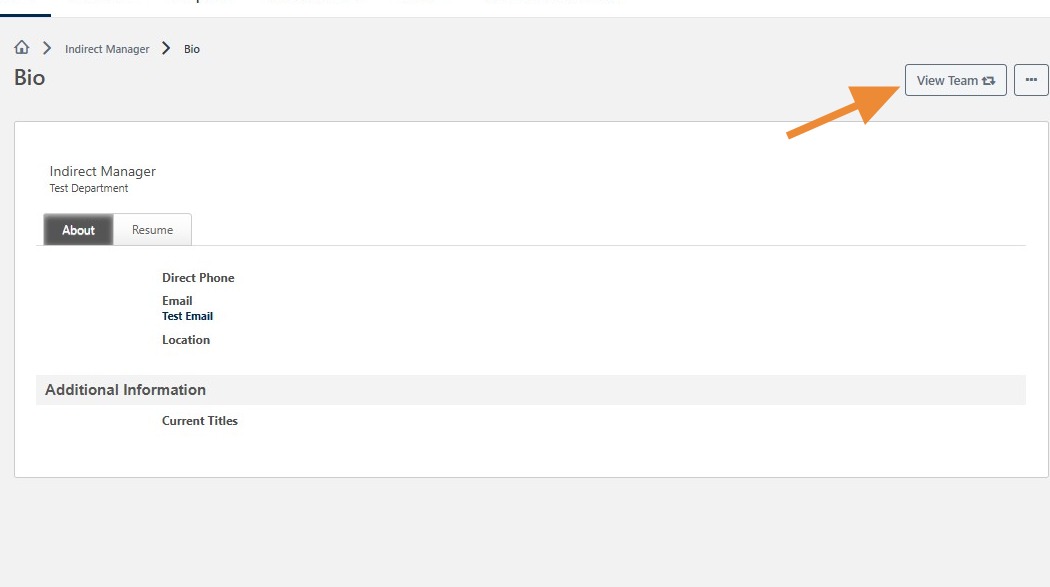
From the Bio Page, click on "View Team".
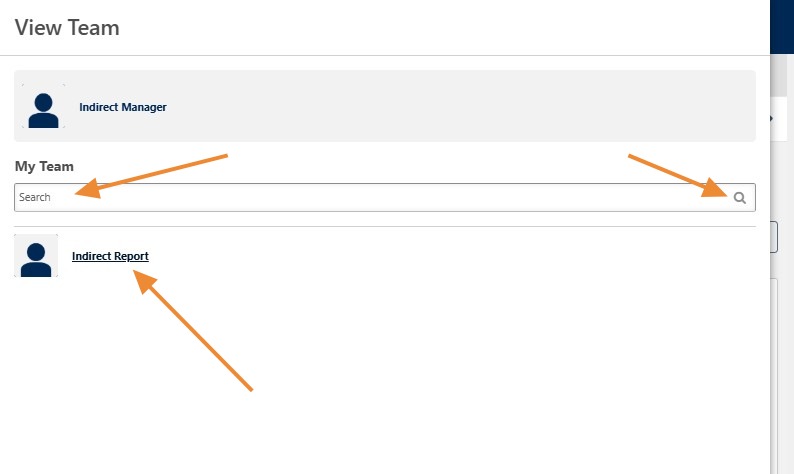
From this screen, you can select a team member to view their goals using either of the following methods:
- Search by Name: Enter the team member’s name in the My Team search field and click the magnifying glass icon. Then, select their name from the search results displayed below.
- Select from the List: Locate the team member’s name in the list below and click their name to view their goals.
Once you are viewing the selected employee’s Bio page:
- Click the three-dot (...) menu on the right side of the screen.
- Then, select View All Goals from the dropdown menu.
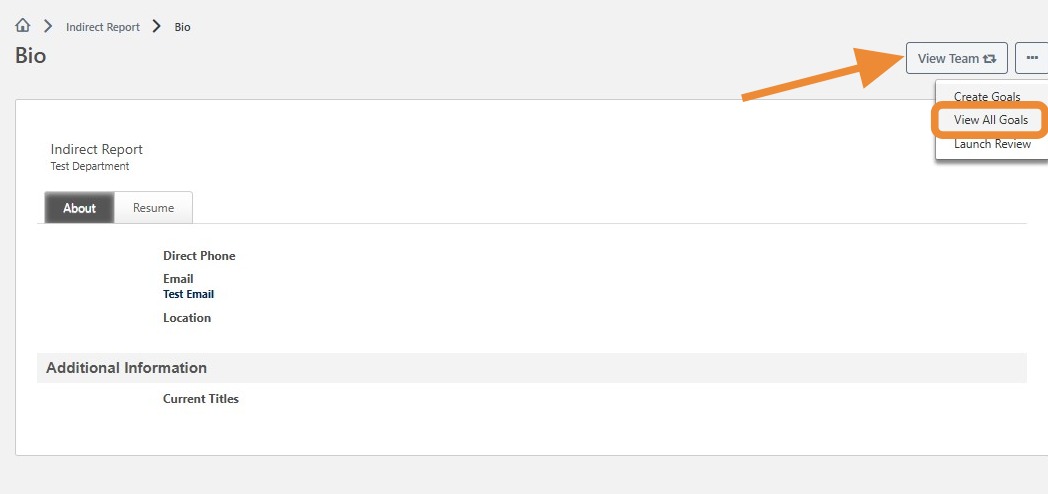
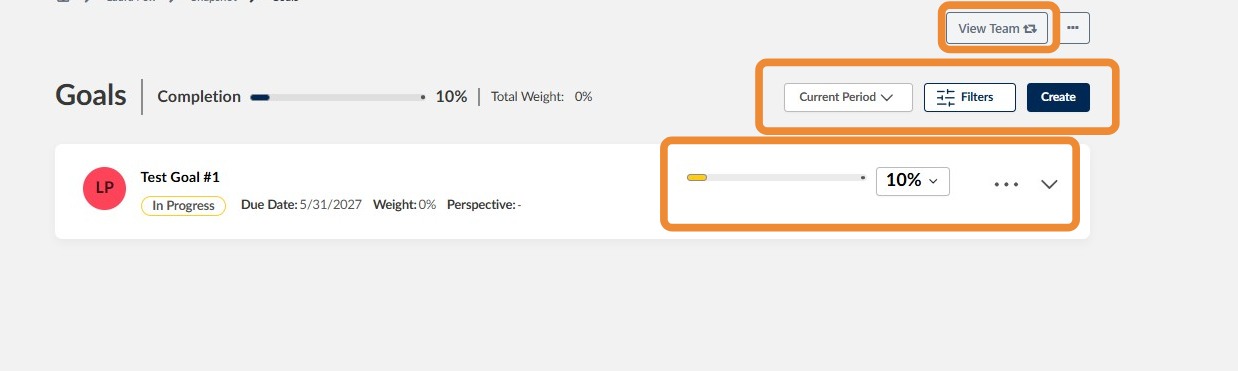
Once you select View All Goals, you will be directed to the employee’s Goals page. From this screen, you can view and manage their goals.
- Overall Goal Completion: The progress bar at the top of the page displays the employee’s overall goal completion percentage.
- Goal Details: Each goal displays its title, current status, due date, and completion percentage.
- Update Goal Progress: Use the percentage dropdown next to a goal to update its completion percentage.
- View Additional Goal Details: Click the downward arrow on the right side of a goal to expand it and view additional information
- Filter Goals: Click Filters to narrow the goals displayed.
- Select a Review Period: Use the Current Period dropdown to view goals associated with a specific period.
- Create a Goal: Click Create to add a new goal, if you have the appropriate permissions.
Once you are finished, you can click on View Team Goals to navigate to the team goals view.
If you have any questions, please contact ihr-hrais@illinois.edu