

Equipment Purchasing, Computer and Equipment Standards
SERVICE INFORMATION
Computer Purchasing and Equipment
Your one-stop guide to College of Veterinary Medicine approved Windows and Mac computers, monitors, accessories, warranties, and how to place an order.
Reading time: 6 minutes
Audience: Faculty and Staff
How Equipment Purchasing Works (The Basics)
To make sure every computer on campus is reliable, secure, and easy for IT@VetMed to support, the College maintains an approved list of standard Windows and Apple (Mac) computers, monitors, and accessories.
- 5-Year Replacement Cycle: Computers, phones, and tablets are eligible for replacement every 5 years.
- Built-In Warranty Protection: All Windows computers come with a 5-year warranty (laptop batteries carry a 3-year warranty). All Apple computers come with a 4-year AppleCare+ warranty.
- Need Something Specialized? If your lab, clinic, or teaching role requires specialized hardware not listed here, email IT@VetMed.Illinois.edu and we will help find the right fit.
Who Can Use This Service?
Standard computing equipment and purchasing support are available for eligible College of Veterinary Medicine personnel, including new incoming hires and employees eligible under the College's 5-year replacement cycle:
- Faculty
- Staff
Which Computer Is Right for Me?
Not sure which model to pick? Start with the row that best matches your daily work:
| Your Daily Work | Standard Windows Pick | Standard Apple (Mac) Pick |
|---|---|---|
| Everyday Office, Clinical & Admin Work Email, Microsoft Office, web browsers, virtual meetings, and clinical records |
Desktop: Dell Pro 5 Micro Laptop: Dell Pro 5 (14" or 16") |
Desktop: Mac Mini or iMac (all-in-one) Laptop: MacBook Air (13" or 15") |
| Research, Data Analysis & Multi-Screen Setups Large spreadsheets, statistical software, imaging, coding, or 3–4 monitors |
Desktop: Dell Pro Plus Slim Laptop: Dell Pro Precision 5 (14" or 16") |
Desktop: Mac Mini (M5 Pro upgrade) Laptop: MacBook Pro (14" or 16") |
| Heavy Scientific & Compute-Intensive Labs 3D visualization, heavy modeling, large datasets, or specialized lab computing |
Workstation: Dell Pro Precision 7 Tower | Workstation: Mac Studio or MacBook Pro (M5 Max) |
3 Things to Know Before You Order:
- Keyboards & Mice: Windows desktops come with a wired keyboard and mouse, while Windows laptops and all Mac computers do not, be sure to include a keyboard and mouse in your order if needed.
- Dual-Monitor Windows Setup: Our standard dual-monitor package (one Dell P2726H + one Dell P2726HE) has a built-in USB-C hub, so laptop users can connect both screens, wired internet, and charging with a single cable—no separate docking station required.
- Plain-English Tech Key: Not sure what terms like RAM, SSD, or GPU mean? See our 30-second plain-English guide below.
Standard Computers, Monitors & Accessories
Browse the categories below by clicking any tab on the left to view photos, plain-English recommendations, and technical specs. Tip: Click any product image to open the manufacturer's page in a new tab.
Windows
Windows Desktops
We offer three Windows desktop sizes depending on how demanding your daily work is. Select a model on the left to see photos and details:
- Everyday Office & Clinical Work — Dell Pro 5 Micro: Our standard, compact desktop designed for reliable day-to-day productivity without taking up desk space.
- Research, Data Analysis & Multi-Monitor Work — Dell Pro Plus Slim: A slim tower with faster desktop processing, dedicated NVIDIA graphics, support for up to 4 monitors, and room for extra memory and storage.
- Advanced Research & Heavy Computing — Dell Pro Precision 7 Tower: Our most powerful Windows workstation, built for intensive modeling, large datasets, and specialized lab software (configurable up to 128 GB of memory and professional graphics with up to 24 GB of video memory).
Dell Pro 5 Micro
Best For: Standard clinical workstations, reception desks, and everyday office or administrative work.
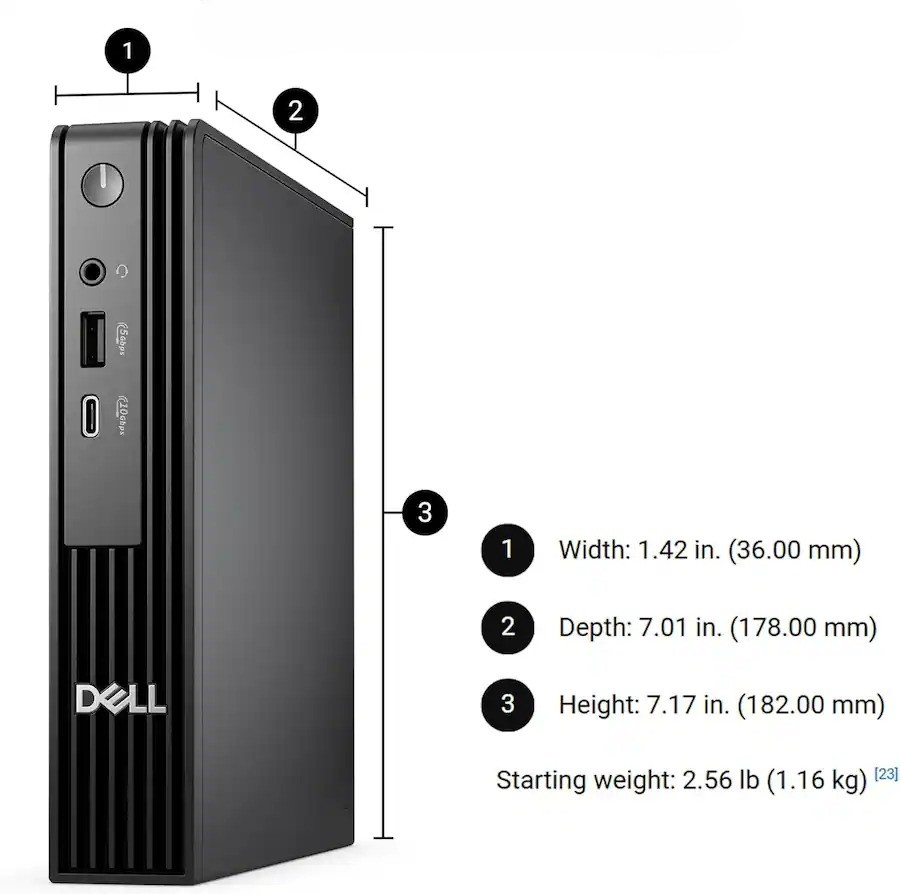
The Dell Pro 5 Micro is VetMed's standard Clinical Computing Desktop Device. Its ultra-compact size fits easily on or under any desk while delivering plenty of speed for everyday tasks. A wired keyboard and mouse are included with purchase.
Standard Configuration (What You Get):
- Processor (Speed): Intel® Core™ Ultra 7 366H — Fast, responsive performance for Office apps, email, and clinical software
- Memory (Multitasking): 16GB RAM — Smoothly runs multiple programs and browser tabs at once
- Storage (File Space): 512GB — Fast internal storage for documents, photos, and applications
Available Upgrades (If Needed):
- More Memory: Up to 32GB of RAM (for heavier multitasking)
- More File Space: Up to 1TB of Storage
Dell Pro Plus Slim
Best For: Research, data analysis, technical software, or setups that need up to 4 monitors.
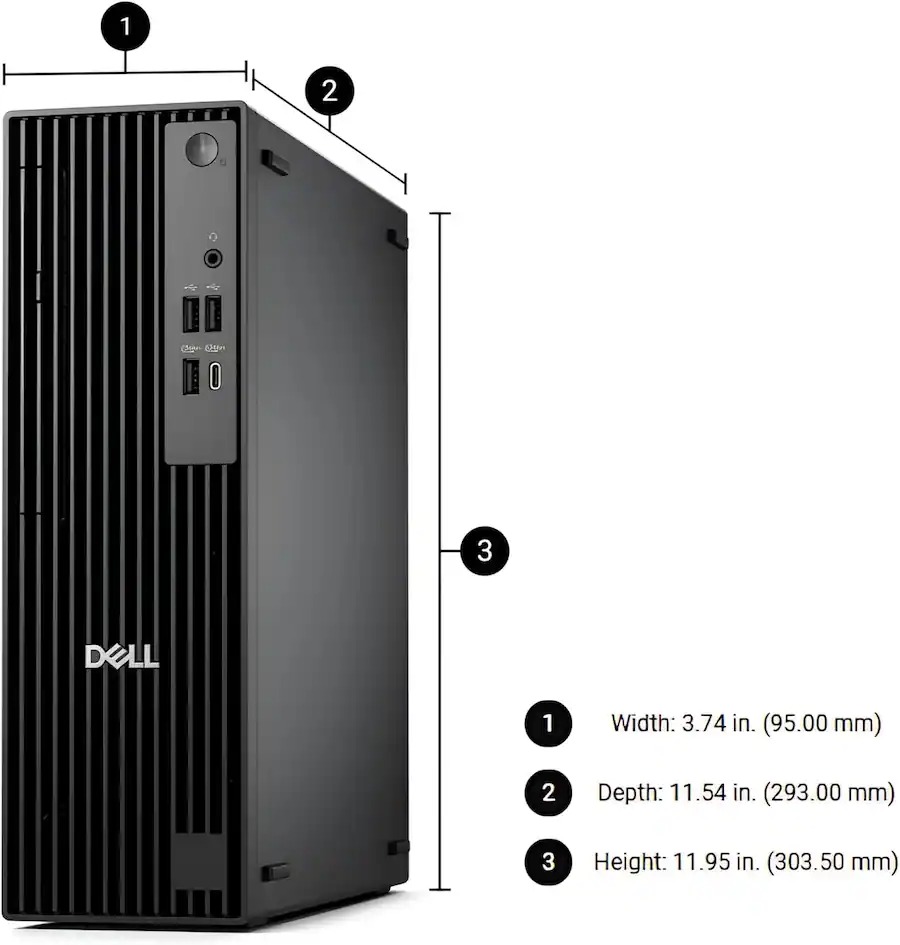
The Dell Pro Plus Slim steps up to a full desktop processor (rather than a compact mobile chip) inside a space-saving slim case. It includes dedicated NVIDIA or AMD graphics capable of running up to 4 displays at once. A wired keyboard and mouse is included with purchase.
Standard Configuration (What You Get):
- Processor (Speed): Intel Core Ultra 7 265 — Full-power desktop processor for faster data and technical work
- Memory (Multitasking): 16GB RAM
- Storage (File Space): 512 GB
- Graphics (Visual & Multi-Screen Power): Nvidia A400 4GB — Dedicated graphics card supporting up to 4 monitors
Available Upgrades (If Needed):
- Faster Processor: Intel Core Ultra 9
- More Memory: 32GB of RAM
- More File Space: 1TB SSD
Dell Pro Precision 7 Tower
Best For: Intensive scientific research, 3D modeling, large datasets, and heavy specialized computing.
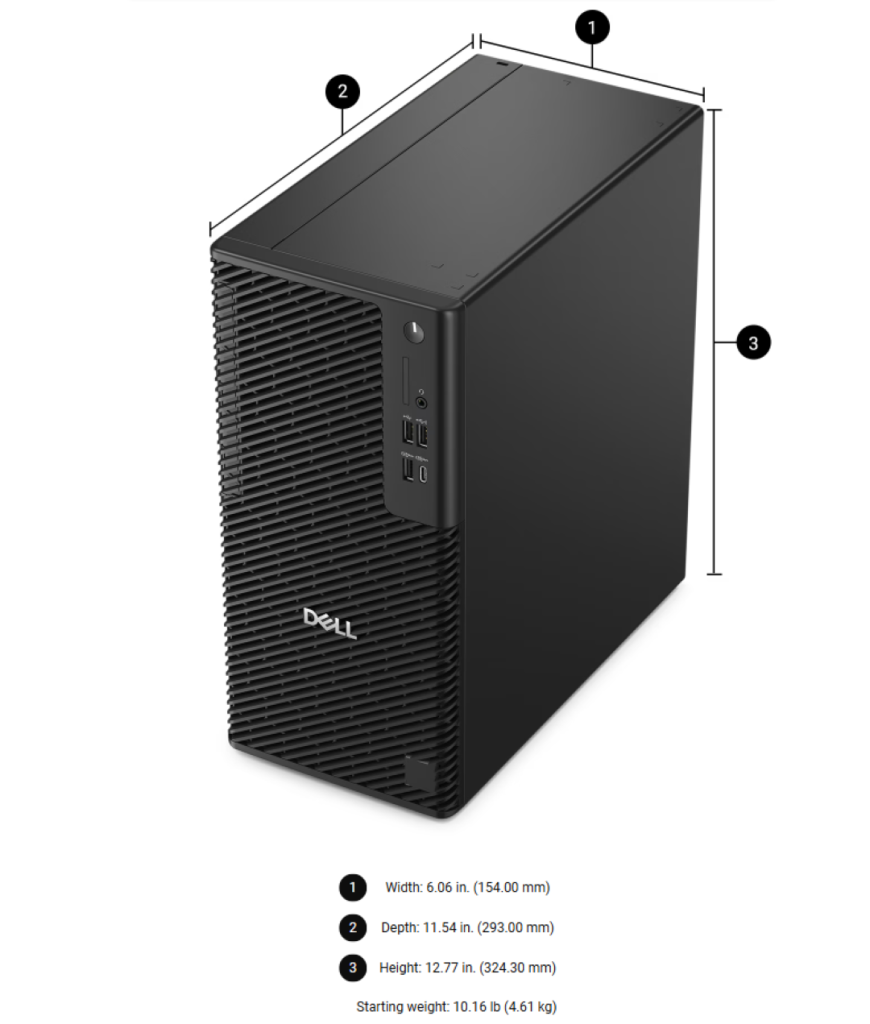
The Dell Precision 7 Tower is our heavy-duty workstation for demanding research and technical workloads that exceed what standard office desktops can handle. A wired keyboard and mouse is included with purchase.
Standard Configuration (What You Get):
- Processor (Speed): Intel Core Ultra 7 265
- Memory (Multitasking): 32 GB RAM — Double the standard memory for large datasets and complex software
- Storage (File Space): 1TB — High-capacity fast storage for research files
- Graphics (Visual & Compute Power): Nvidia A1000 8GB — Professional-grade graphics card
Available Upgrades (If Needed):
- Faster Processor: Intel Core Ultra 9 285
- Higher-End Graphics: Nvidia RTX Pro 2000 (16GB VRAM) or 4000 (24GB VRAM)
- Maximum Memory: Up to 128GB of RAM
- Extra Storage Capacity: 2 Additional Storage Slots
Windows Laptops
We offer two Windows laptop options—both available in a compact 14-inch screen or a larger 16-inch screen. Select a model on the left for full details:
- Everyday Office, Teaching & Travel — Dell Pro 5: Our recommended everyday laptop for most faculty and staff, offering long battery life and fast performance.
- Research, Data Analysis & Heavy Multitasking — Dell Pro Precision 5: A mobile workstation with dedicated NVIDIA graphics (6 GB VRAM) and double the starting memory for demanding work on the go.
Dell Pro 5
Best For: Most faculty and staff needing a dependable everyday laptop for office work, meetings, and travel. (Note: External keyboard/mouse ordered separately.)
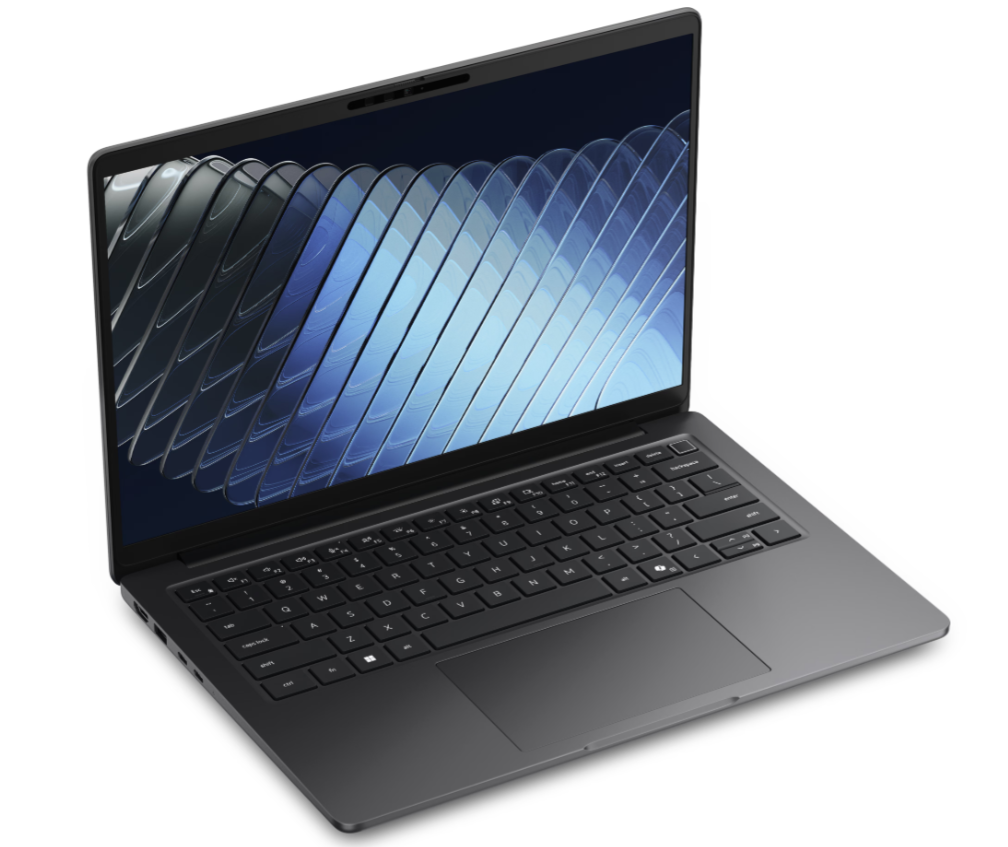
The Dell Pro 5 is VetMed's standard recommended laptop for most staff and faculty. Choose between a portable 14" screen or a roomier 16" screen.
Standard Configuration (What You Get):
- Processor (Speed): Intel Core Ultra X7 368H — Fast, battery-efficient performance for daily work
- Memory (Multitasking): 16GB RAM
- Storage (File Space): 512GB
- Screen: 14 or 16" 1920x1200 non-touch display — Crisp, anti-glare screen
- Battery & Warranty: 70Wh Battery w/ 3 year warranty (laptop itself carries a 5-year warranty)
Available Upgrades (If Needed):
- Touchscreen display
- Up to 64GB of RAM
- Up to 2TB SSD
Dell Pro Precision 5
Best For: Research, data analysis, imaging, and heavy workloads when you need workstation power on the go. (Note: External keyboard/mouse ordered separately.)
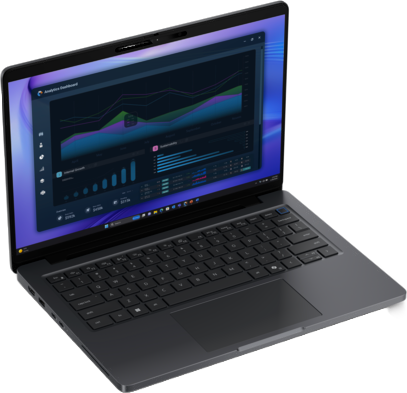
The Dell Pro Precision 5 is VetMed's recommended high-performance laptop for faculty and staff who need extra computing and graphics muscle away from their desk. Available in 14" or 16" screen sizes.
Standard Configuration (What You Get):
- Processor (Speed): Intel Core Ultra 7 366H
- Memory (Multitasking): 32GB RAM — Double the standard memory for data analysis and technical apps
- Storage (File Space): 1TB — Twice the starting file space
- Graphics (Visual Power): Nvidia RTX Pro 5000 6GB — Dedicated graphics chip for visualization and technical software
- Screen: 14" or 16" 1920x1200 non-touch display
- Battery & Warranty: 72 Wh, 3-year warranty (laptop itself carries a 5-year warranty)
Available Upgrades (If Needed):
- Up to 64GB of RAM
- Up to 2TB of Storage
- Touchscreen
Windows Accessories
Complete your desk setup with our standard Dell monitors, docking stations, and keyboards/mice. Select an accessory category on the left for details:
- Monitors (Dell P2726H & P2726HE): Standard 27-inch monitors—our dual-monitor combo charges your laptop and connects everything with one cable.
- Docks (Dell SD25TB4): Optional docking station for users who need extra USB ports or 3+ monitors.
- Mouse & Keyboards: Full-size Dell wired or wireless keyboards (included with desktops; ordered separately for laptops).
Monitors
Recommended Setup: Order one Dell P2726H + one Dell P2726HE together for a clean two-screen desk setup without needing a separate docking station.
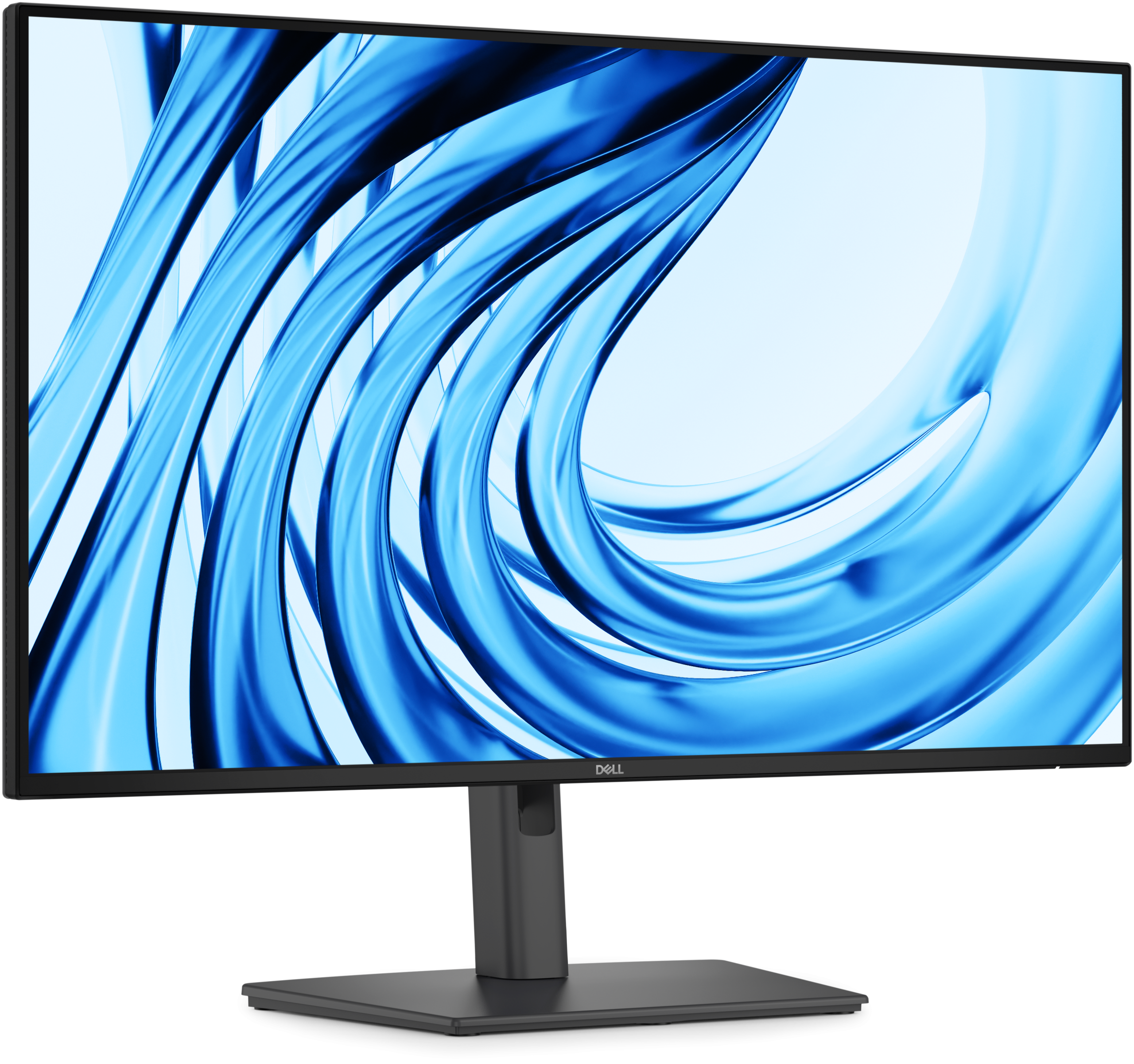
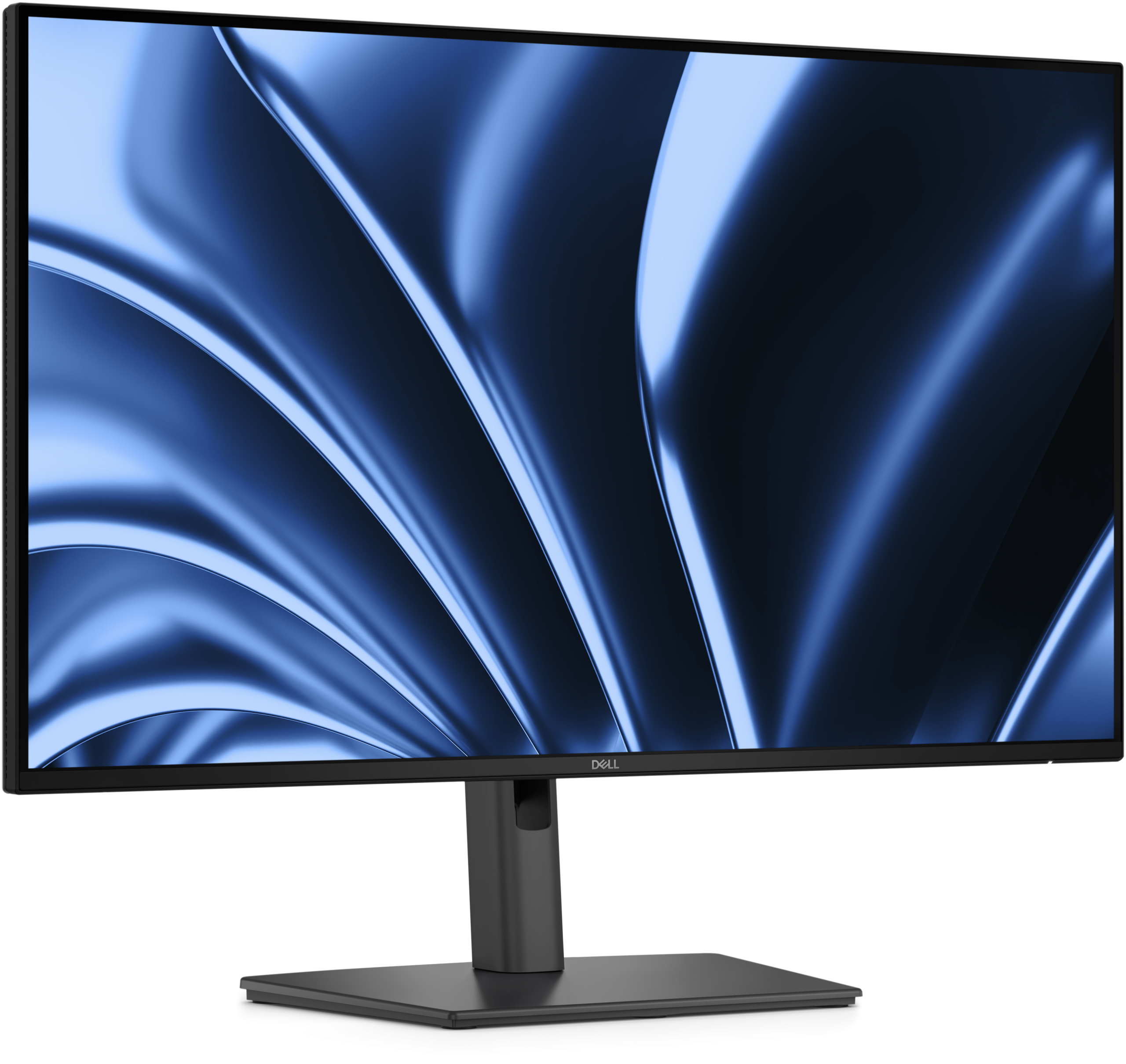
For most VetMed staff and faculty with a Windows computer, we recommend pairing one Dell P2726H and one Dell P2726HE. The P2726HE has a built-in connection hub—meaning laptop users can plug in one single USB-C cable to charge their laptop and connect both monitors, wired campus internet, keyboard, and mouse all at once (no separate dock needed).
Key Features & Specs:
- Screen Size: 27" — Plenty of room to view two documents side by side
- Resolution: 1920 × 1080 (Full HD) at 120Hz — Sharp text and smooth scrolling
- Dell P2726HE Built-In Hub: USB-C docking, Ethernet, and up to 100W power delivery — Charges your laptop and connects peripherals over one cable
Docks
Best For: Users who plug in lots of accessories, need 3+ monitors, or don't have the USB-C hub monitor above.
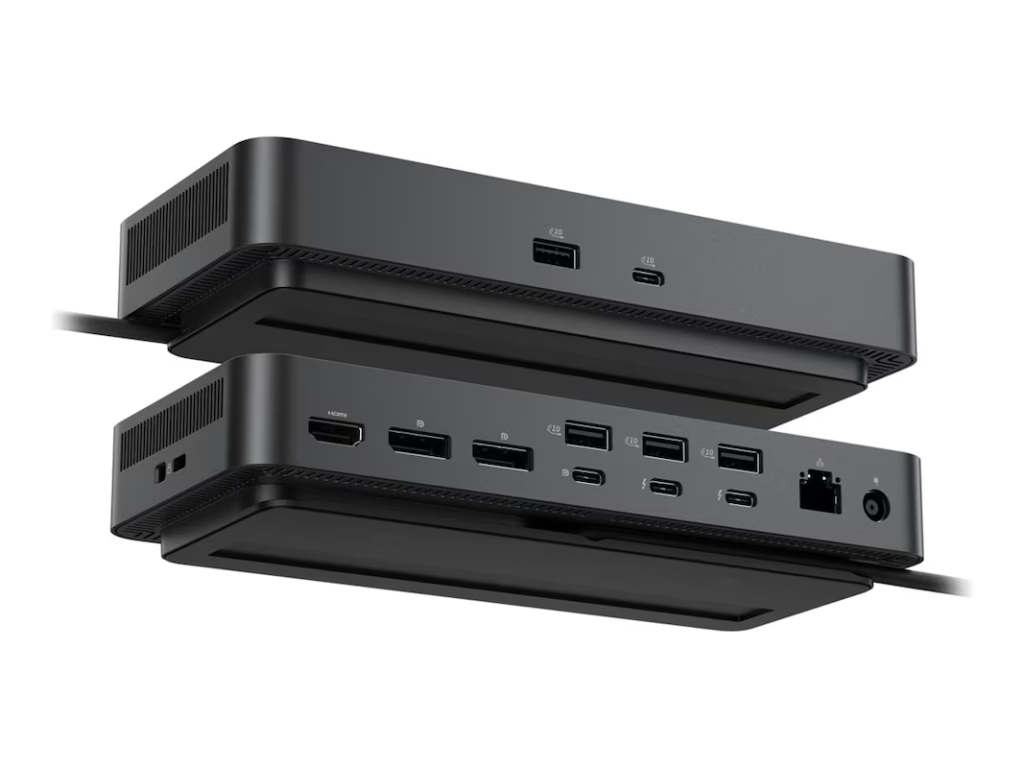
The Dell SD25TB4 Thunderbolt Dock connects all your desk gear—monitors, wired internet, external drives, keyboard, and mouse—to your laptop using a single cable. While most users can rely on the built-in hub inside the Dell P2726HE monitor, this dock is ideal if you have extra peripherals or advanced multi-screen setups.
Key Features & Specs:
- Connectivity: Thunderbolt 4 and USB-C compatible
- Display Support: Supports multiple external monitors
- Networking: Integrated Gigabit Ethernet (fast wired campus internet)
- Peripheral Connectivity: Multiple USB-A and USB-C ports
- Power Delivery: Charges compatible laptops through a single cable
- Recommended For: Users with multiple peripherals, complex workstation setups, or advanced display requirements
Mouse and Keyboards
Ordering Tip: Included automatically with Windows desktops; must be ordered separately if you are buying a Windows laptop.
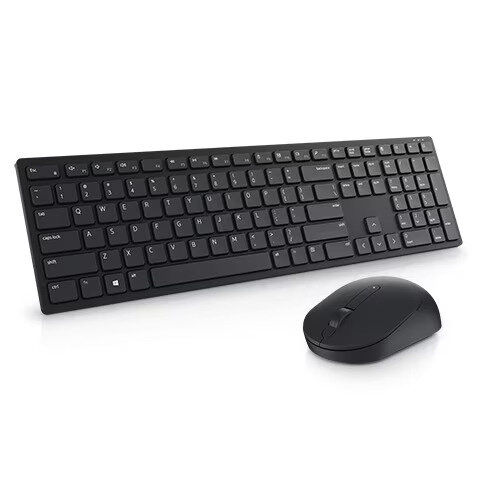
Our standard Dell Wireless and Wired Keyboards feature a comfortable full-size layout with a number pad on the right for easy data entry. Desktop purchases automatically include a wired or wireless keyboard depending on the model; laptop orders do not include one unless requested.
Key Features & Specs:
- Layout: Full-size keyboard with numeric keypad
- Connectivity: Available in wired or wireless configurations
- Compatibility: Supports Windows, Mac, and Linux
Apple (Mac)
Mac Laptops
We offer two Mac laptop options. All Apple computers include a 4-year AppleCare+ warranty. Select a model on the left for full details:
- Everyday Office, Teaching & Travel — MacBook Air (13" or 15"): Thin, lightweight, and quiet with all-day battery life—our standard Mac pick for most faculty and staff.
- Research, Media Production & Heavy Computing — MacBook Pro (14" or 16"): Built with Apple's M5 Pro or M5 Max chips for data analysis, coding, video editing, and 3D visualization.
MacBook Air
Best For: Most faculty and staff who prefer a Mac for everyday office work, teaching, meetings, and travel. (Includes 4-year AppleCare+.)
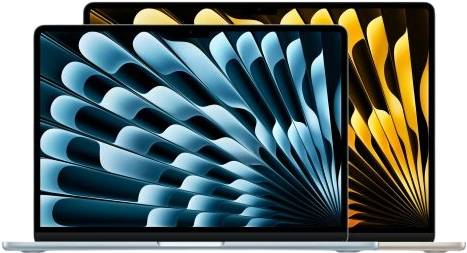
The MacBook Air is VetMed's recommended Mac laptop for most staff and faculty. Available in an ultra-portable 13" model or a larger 15" screen.
Standard Configuration (What You Get):
- Processor (Speed): Apple M5 — Fast, silent performance with great battery life
- Memory (Multitasking): 16GB Unified Memory
- Storage (File Space): 512GB SSD
- Screen: 13" or 15" Liquid Retina Display — Bright, sharp screen for reading and documents
Available Upgrades (If Needed):
- 24GB or 32GB Unified Memory (model dependent)
- Up to 2TB SSD
MacBook Pro
Best For: Research, data analysis, software development, video editing, and 3D visualization. (Includes 4-year AppleCare+.)
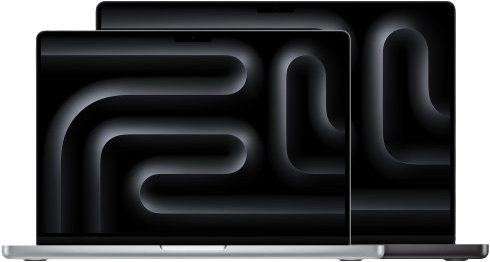
The MacBook Pro (available in 14" and 16" sizes) is built for faculty and staff whose work demands extra speed, graphics power, and memory beyond what the MacBook Air offers.
Standard Configuration (What You Get):
- Processor (Speed): Apple M5 Pro — High-speed processor for demanding research and creative workloads
- Memory (Multitasking): 16GB Unified Memory
- Storage (File Space): 512GB SSD
- Screen: 14" Liquid Retina XDR Display (16" option also available)
Available Upgrades (If Needed):
- Apple M5 Max processor
- Up to 128GB Unified Memory
- Up to 8TB SSD
Mac Desktops
We offer three Mac desktop designs depending on your desk setup and workload. Remember to include a Magic Keyboard and Magic Mouse in your order, as Mac desktops do not include them in the box:
- Everyday Office & Dual-Monitor Setups — Mac Mini: Our standard, compact Mac desktop that connects to your choice of external monitors.
- Clean, All-in-One Desk Setup — iMac: Combines the computer, 24" 4.5K screen, webcam, and speakers into one sleek unit with minimal cables.
- Advanced Research & Heavy Computing — Mac Studio: Apple's high-power workstation for scientific computing, data analysis, coding, and media production.
Mac Mini
Best For: Most faculty and staff wanting a standard Mac desktop paired with one or two external monitors. (Keyboard, mouse, and monitor ordered separately.)

The Mac Mini is VetMed's recommended standard Mac desktop. It takes up almost no desk space and works seamlessly with standard monitors.
Standard Configuration (What You Get):
- Processor (Speed): Apple M5
- Memory (Multitasking): 16GB Unified Memory
- Storage (File Space): 512GB SSD
Available Upgrades (If Needed):
- Apple M5 Pro processor (for faster research/data work)
- Up to 64GB Unified Memory
- Up to 8TB SSD
iMac
Best For: Users who want a clean, clutter-free desk with the screen, camera, speakers, and computer built into one device.

The iMac is an all-in-one Mac desktop that builds the computer directly into a bright 24-inch screen—reducing cable clutter while giving you built-in video conferencing hardware out of the box.
Standard Configuration (What You Get):
- Processor (Speed): Apple M5
- Memory (Multitasking): 16GB Unified Memory
- Storage (File Space): 512GB SSD
- Screen: 24" 4.5K Retina Display — Ultra-sharp built-in screen
- Camera: 12MP Center Stage Camera — Built-in webcam for Zoom/Teams calls
Available Upgrades (If Needed):
- Up to 32GB Unified Memory
- Up to 2TB SSD
- Gigabit Ethernet (for wired campus network connections)
- Additional color options
Mac Studio
Best For: Scientific computing, heavy data analysis, software development, and multi-monitor research workstations.
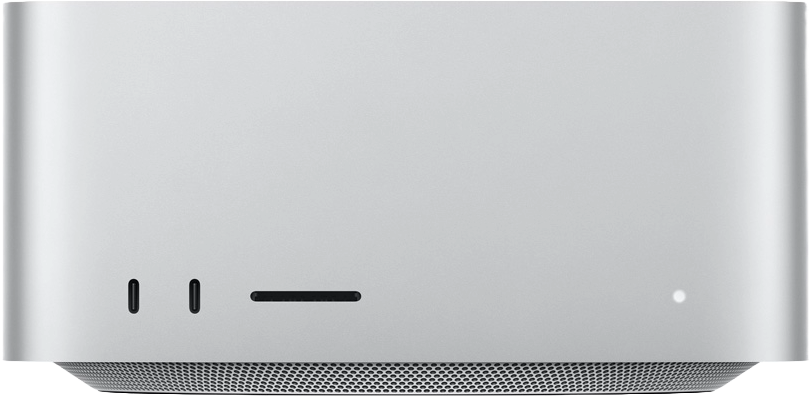
The Mac Studio is Apple's high-performance desktop workstation, packing extreme speed, generous memory, and extensive ports for multiple monitors and lab devices into a compact desktop cube.
Standard Configuration (What You Get):
- Processor (Speed): Apple M4 Max
- Memory (Multitasking): 36GB — More than double standard memory for heavy datasets
- Storage (File Space): 1TB
- Connectivity (Ports): Thunderbolt 5, USB-C, HDMI, Ethernet
Available Upgrades (If Needed):
- Apple M3 Ultra
- Up to 96GB of Memory
- Up to 16TB of Storage
Mac Accessories
Complete your Mac workstation with our standard docking station, display, and wireless keyboard/mouse options. Select an item on the left for details:
- Monitors (Apple Studio Display): A 27-inch 5K monitor with built-in camera, speakers, and microphones (or pair your Mac with standard Dell monitors).
- Docks (Belkin Thunderbolt 4 Dock): Connects up to three monitors, wired internet, and accessories to your MacBook with one cable. A dock is required for 2+ monitor setup.
- Mouse & Keyboards (Apple Magic Keyboard & Magic Mouse): Rechargeable wireless input devices, remember to order these separately, as Macs do not include them.
Monitors
Best For: Mac users who want a razor-sharp 5K screen with built-in webcam, speakers, and laptop charging in one clean unit.
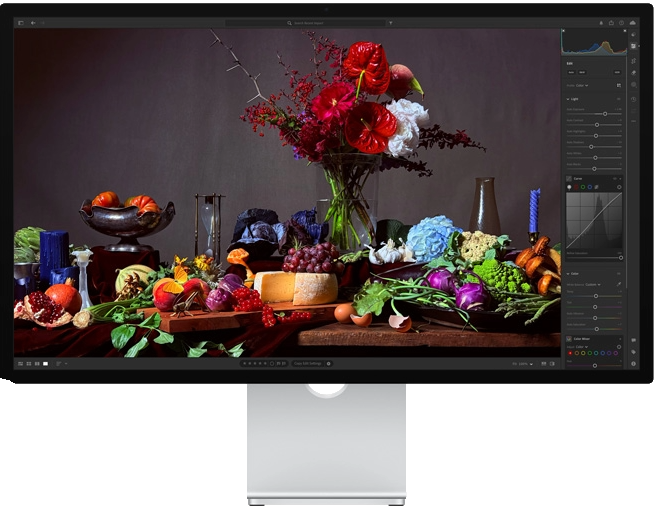
The Apple Studio Display is a 27-inch 5K screen built to pair seamlessly with Mac laptops and desktops. Because it includes a built-in camera, speakers, and studio-quality microphones—and charges compatible Mac laptops over a single Thunderbolt cable, it keeps your desk clean and ready for virtual meetings.
Key Features & Specs:
- Screen Size: 27"
- Resolution: 5120 × 2880 (5K Retina), Ultra-sharp detail for imaging, text, and creative work
- Connectivity: Thunderbolt 3 and USB-C
- Integrated Features: Camera, speakers, and studio-quality microphones
- Power Delivery: Up to 96W to compatible Mac laptops (charges your MacBook Air or Pro while connected)
- Recommended For: Mac users requiring a high-quality display for productivity, research, creative work, and collaboration
Docks
Best For: MacBook users who want to plug in monitors, wired internet, and USB accessories using a single cable.

The Belkin 14-in-1 Triple Display Thunderbolt 4 Docking Station is our standard hub for Mac users. Instead of plugging in four or five separate cords every time you sit down, one Thunderbolt cable charges your MacBook and connects up to three monitors, wired Ethernet, and USB accessories.
Key Features & Specs:
- Connectivity: Thunderbolt 4 and USB-C
- Display Support: Up to three external displays
- Networking: Integrated Gigabit Ethernet (fast wired campus internet)
- Peripheral Connectivity: Multiple USB-A and USB-C ports
- Power Delivery: Charges compatible Mac laptops through a single cable
- Recommended For: Mac users requiring multiple displays, expanded connectivity, and a clean desktop setup
Mouse and Keyboards
Ordering Tip: Always include these in your order if you are purchasing a Mac desktop (or want a desk setup for a MacBook), Macs do not include a keyboard or mouse in the box.
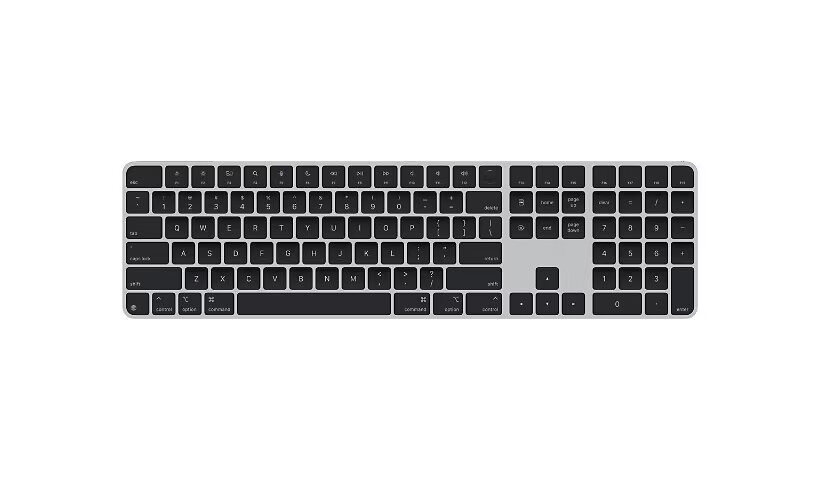
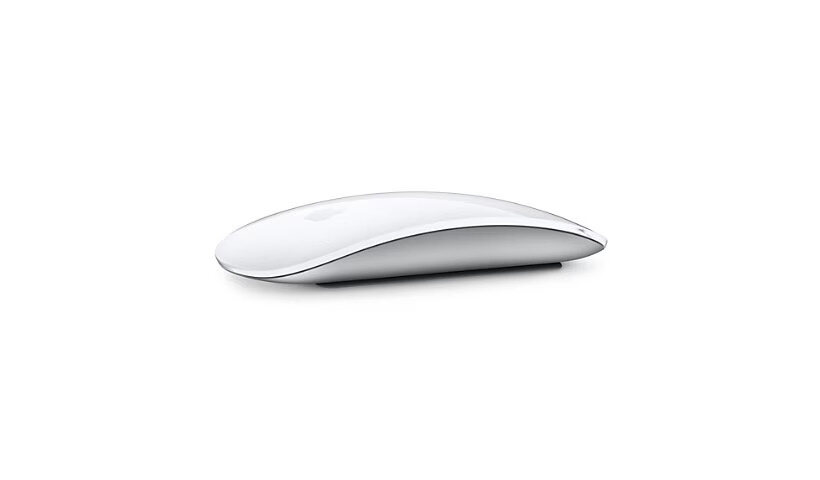
The Apple Magic Keyboard and Magic Mouse are our standard wireless input devices for Mac workstations. Both have built-in rechargeable batteries (no disposable AA batteries needed), and the Magic Keyboard includes a full number pad for easy spreadsheet and data entry.
Key Features & Specs:
- Connectivity: Wireless Bluetooth
- Power: Rechargeable battery
- Compatibility: macOS and Apple devices
- Features: Multi-Touch gesture support on Magic Mouse (swipe and scroll smoothly)
- Use Case: Everyday office, administrative, research, and productivity tasks
- Recommended For: Standard Mac workstation deployments
Plain-English Guide to Tech Terms
Wondering what the hardware terms above mean in everyday life? Here is a quick translation:
- Processor (CPU) — "The Brain": Controls how fast your computer opens apps and crunches numbers. All of our standard models come with fast, modern processors.
- Memory (RAM / Unified Memory) — "Your Desk Space": Lets you keep lots of browser tabs, documents, and programs open at the same time without slowing down. 16GB is great for everyday work; 32GB+ is helpful for large datasets or specialized research software.
- Storage (SSD) — "Your Filing Cabinet": Where your files, photos, and software live. 512GB is plenty for most staff and faculty (especially if you store files in OneDrive, Box, or network drives); 1TB+ is best if you keep large research datasets or videos directly on your computer.
- Graphics (GPU / VRAM) — "Visual & Multi-Screen Muscle": Standard built-in graphics easily power everyday office work and dual monitors. A dedicated NVIDIA graphics card is only needed if you run 3D modeling, specialized imaging, data visualization, or 3–4 monitors.
- USB-C / Thunderbolt Dock — "One-Cable Connection": Lets laptop users plug in one single cable at their desk to charge their battery and connect monitors, wired campus internet, keyboard, and mouse all at once.
Policies, Warranties & What's Included
Keep these four College standards in mind when planning a computer purchase:
- 5-Year Replacement Cycle: The College replaces computers, phones, and tablets on a five-year cycle.
- Full Warranty Coverage: All Windows computers include a 5-year warranty (laptop batteries are covered for 3 years), and all Mac computers include a 4-year AppleCare+ Warranty.
- Keyboards & Mice: Windows desktop purchases include a wired or wireless keyboard depending on the model. Windows laptops and all Mac computers do not include an external keyboard or mouse—those must be ordered separately.
How to Request or Order Equipment
Ready to request a standard computer or ask for advice on what to order? Follow these three steps:
- Pick a Standard Setup: Review the Windows and Apple options above to choose the computer, monitor(s), and accessories that fit your work. (Not sure? Just tell us what programs you use and whether you prefer Windows or Mac!)
- Ask About Custom Needs: If your role requires specialized hardware or upgrades not listed on this page, email it@vetmed.illinois.edu so IT@VetMed can recommend a compatible solution.
- Confirm & Submit Your Inquiry: Contact IT@VetMed to confirm final specs, accessories, and purchasing details for your order.
Submit a Hardware Purchase Inquiry
Additional Information
- Special Hardware Requests: We will do our best to accommodate special hardware requests when standard configurations do not meet specific clinical, instructional, or research needs. Email it@vetmed.illinois.edu for guidance.
- Manufacturer Details: Click any linked product image above to view full technical specifications on Dell, Apple, or Belkin's website.
Last reviewed: November 2026